


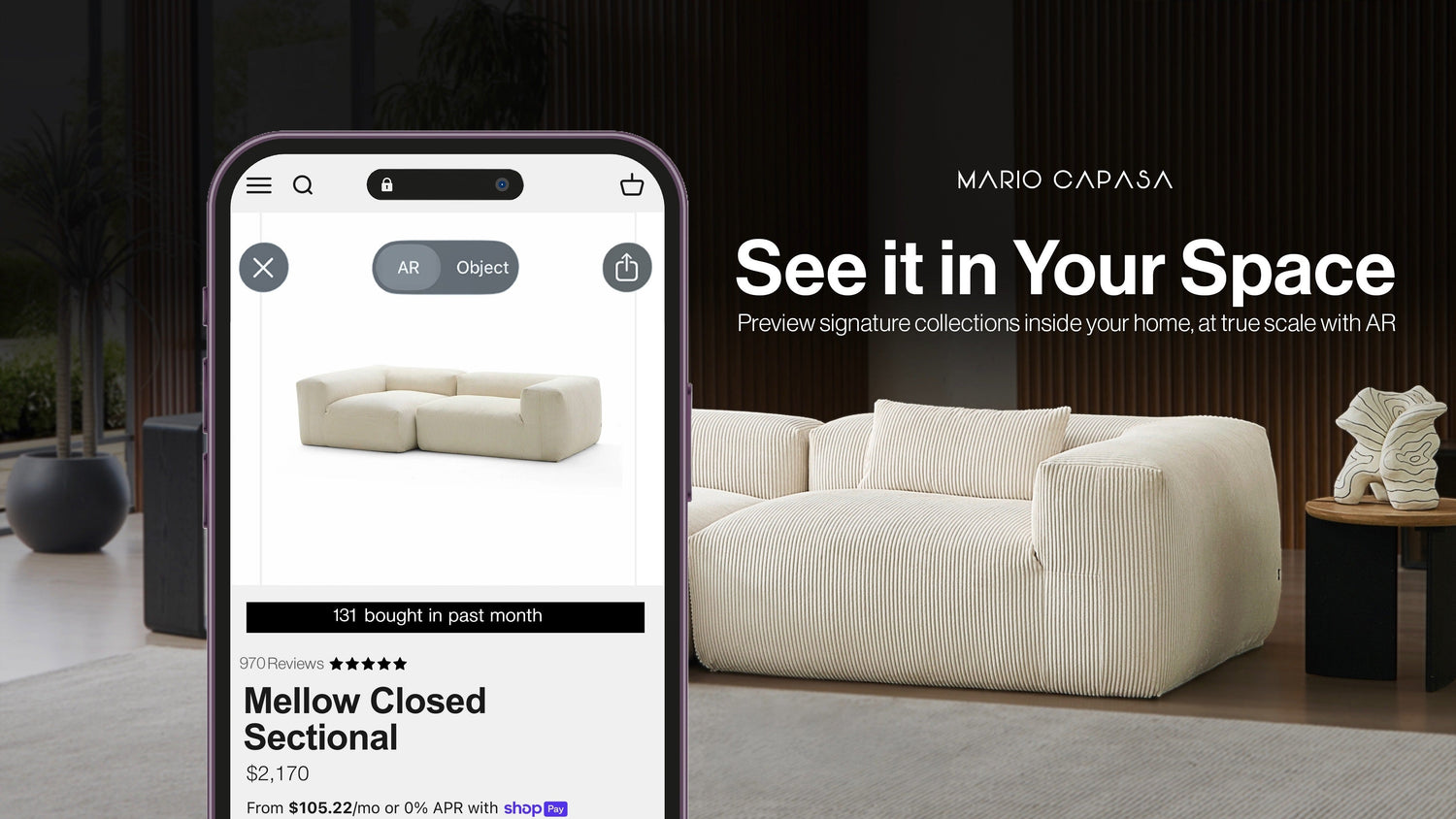
The stress usually arrives right before checkout: you’ve fallen for a sofa online, but your brain can’t reliably translate a product photo into the reality of your room. Door swings get ignored, walkways shrink, “deep seating” suddenly feels like it’s eating square footage, and that awkward corner turns into a dead zone you can’t style your way out of. Even when the measurements look fine on paper, it’s hard to picture how a sofa will behave—what it blocks, what it anchors, and whether the room still feels easy to move through.
That’s where room planning with AR comes in. Instead of guessing from photos and diagrams, you can preview a sofa at true scale in your actual space, so placement and fit stop being a theoretical decision and start looking like a real one.
What “View in Your Space” AR Actually Solves
That’s the exact idea behind Mario Capasa’s View in Your Space—a true-scale Augmented Reality preview that turns sofa shopping into something you can actually see from your phone. Launch it directly from product pages to place a sofa or sectional in your room, then rotate, reposition, and switch between configurations until you find the one that makes sense for your space. It’s built to show how each option handles spacing and flow around walkways, tight corners, and the furniture you already live with.
Mario Capasa’s AR feature is especially useful because modular furniture behaves like spatial architecture, not a single object. A sectional isn’t only “a couch”— it’s a new perimeter line in the room, a new circulation pattern, and often the dominant mass your eye reads first when you walk in.

The 5 Placement Checks Before Ordering a Sectional
Buyer’s remorse in furniture rarely comes down to taste—it usually comes down to space. A sofa can look perfect online and still feel wrong the moment it’s in your living room because it takes up more floor than expected, blocks a walkway, or throws off the balance of the room. The issue isn’t style; it’s how the piece actually occupies the space once it’s no longer a photo.
That’s where AR earns its place. Instead of guessing from renders and measurements, AR shows how a sofa sits in relation to the realities of a room—walls, windows, entry points, and the fixed anchors that shape the layout, like the TV wall, rug footprint, and coffee table zone. This is often the difference between a room that feels intentional and one that quietly feels cramped.
Before you start placing anything, it helps to know what AR is best at confirming.
-
Footprint reality — how much floor the configuration truly takes up
-
Depth reality — whether deep seating enhances lounging or steals circulation
-
Flow reality — whether walk paths and entry lines stay open
-
Visual balance — whether the piece anchors the room or overwhelms it
- Orientation clarity — chaise direction, corner logic, and how the room naturally faces
How to Use AR Like a Room Planner
AR is most accurate when you use it to see how the room works, not just the sofa. People default to “product-page mode”— the instinct is to inspect details first (shape, seams, cushion profile), the same way you’d zoom into photos online— so they keep that habit in AR, even though stepping back is what reveals the layout: walkways, the coffee table zone, open space, and how the room reads from the doorway.
It also helps to treat your phone like a lens with biases. Wide-angle camera views can exaggerate depth and make large furniture feel smaller than it is; stepping back and checking from multiple vantage points reduces that distortion and gives you a truer read on scale.
- Start with a consistent process so your comparisons are actually comparable.
-
Choose the wall or run where seating will realistically live (don’t freestyle it in the middle of the room).
-
Turn on decent lighting so your camera can read floors and edges cleanly.
-
Place the piece, then step back for a wide view (close-up placement distorts scale).
-
Rotate and reposition while checking two angles: the room entry and the main seating view.
-
Screenshot each option so your camera roll becomes your comparison board.
Why Modular Sectionals + AR Make Sense Together
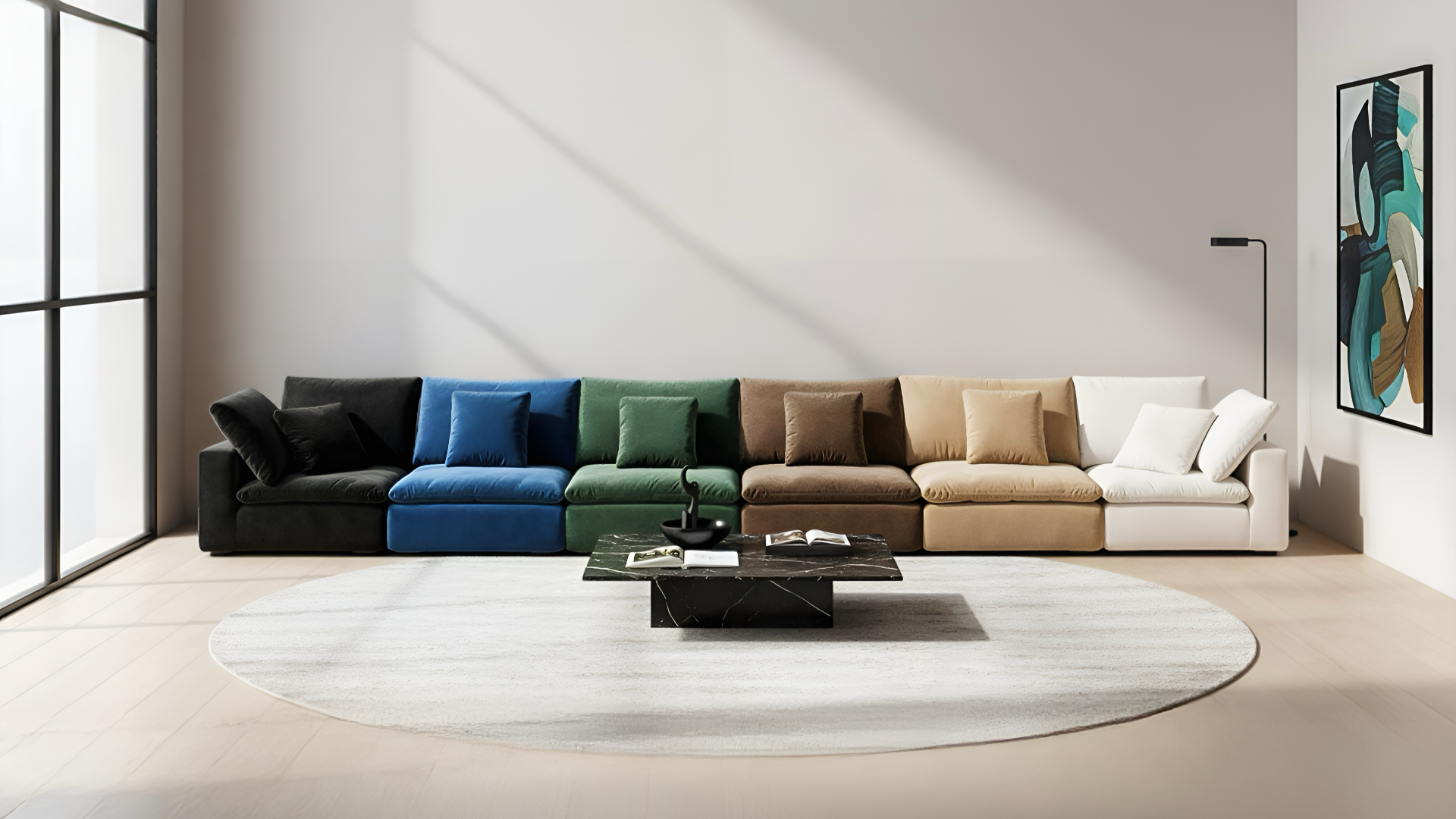
Modular furniture isn’t one decision— it’s a sequence of decisions that change the room’s flow. One corner unit can convert a “walk-through” living room into a hotspot. One chaise can shift the room’s centerline and decide where people naturally face, gather, and drop their stuff.
AR is the fastest way to understand buildable couches because it lets you test layout archetypes in your actual constraints. A long run might look “clean” online, but in your room, it might block a closet door. A U-shaped sectional might feel like the dream until you see the footprint eat the coffee table zone and compress the walkway to a sliver.
When you’re previewing a modular couch system, think in layout archetypes first, then aesthetics.
-
Long run: best for narrow rooms where you need a clean circulation lane
-
L-shape: best for defining a zone in open-plan spaces
-
U-shape: best for social seating when the room can support the footprint
-
Pit-style layouts: best when the living room is meant to feel like a “destination” space
What to Look For When You Preview a Sectional
A sectional can be gorgeous and still make a room function worse. The key is to see how it lives in the room: how the room moves, where bodies land, and what gets blocked. AR is useful here because it lets you see the “invisible” parts of design— clearances, reach distances, and whether the room still has air.
Another niche detail people miss: comfort decisions have spatial consequences. A deeper seat isn’t only softer; it changes how far the front edge pushes into your room and how much space you have left for the coffee table and walkway. The room can feel more luxurious or more cramped with the same piece depending on placement and orientation.
Before you fall in love with the screenshot, run a quick functional checklist.
-
Walkway reality: can you move through the room without awkward detours?
-
Corner logic: does the layout solve a corner or create dead space you’ll avoid?
-
Sightlines: does it support conversation and/or a TV wall without weird angles?
-
Visual weight: does it feel balanced, or does it dominate everything around it?
-
Depth impact: does the seat depth enhance the room, or shrink it?
A Simple Way to Compare Sofas Without Spiraling
AR is a comparison tool disguised as a preview tool. The real value comes from screenshots, which let you step away, review your options, and see which layout actually holds up.
Think like an editor: you’re selecting finalists. Your goal is not to explore every possibility; it’s to narrow to a shortlist that works with your room’s logic (flow, balance, and function) and then refine from there.
Use a clean three-shot method so each placement earns its spot.
-
Start with your first instinct. Place the configuration you think you want and capture a screenshot.
-
Add a practical alternative. Try a slightly tighter version that preserves walkways and keeps the room open, then screenshot it.
-
Place the temptation. Drop in the larger layout you’re drawn to anyway, just to see the reality at full scale, and screenshot that too.
-
Compare the screenshots. Look at each option based on flow, proportion, and whether the room still has a usable center for tables and movement.
The “Concept → Reality” Workflow
Most people get stuck because they mix two decisions together: “What do I want the room to feel like?” and “What actually fits?” Separating those decisions makes room planning calmer and more accurate—especially with modular sectionals, where one extra module can change circulation, balance, and the entire center of the room.
A simple workflow is to start with inspiration, then let real-world constraints shape the final concept.
-
Use View in Your Space to find the real limits of your room (footprint, depth, corner behavior, walkway clearance).
-
Use Capasa Studio to generate concepts and style directions that respect those limits, then review the recommended pieces across Mario Capasa and other marketplaces.
-
Re-test your top 2–3 options in AR and save screenshots, like finalists you can compare side by side.
If You’re Planning More Than One Room Renovation
AR is powerful for a single purchase, but it becomes even more useful when you’re planning a whole home interior design update— because consistency in scale is what makes spaces feel cohesive. A living room that’s oversized and a bedroom that’s under-scaled can make a home feel visually “off” even when every piece is nice on its own.
If your project spans multiple rooms, treat the first AR-tested layout as your anchor, then build out from it with the same logic.
-
Lock the main seating footprint first (your biggest mass always sets the scale rules).
-
Use that footprint to sanity-check secondary pieces like accent chairs and tables so they don’t look lost.
-
Use design support when you want the home to feel connected, not like separate rooms bought in separate moods.
Why AR Sometimes Looks “Off”
If AR ever makes you think “this looks weird,” it’s usually not the furniture— it’s the conditions. Low light can reduce tracking accuracy, clutter can confuse anchoring, and standing too close can make the piece feel distorted because your camera perspective is doing something your eyes wouldn’t do naturally.
One practical detail people miss: rooms are full of reflective and ambiguous surfaces (glossy floors, mirrors, patterned rugs), and those can make any AR placement feel less stable. The fix is not complicated; it usually involves giving the camera a cleaner read of the floor plane and checking from a wider, more realistic viewing distance.
Run this quick troubleshooting reset before you decide the AR preview is “wrong.”
-
Brighten the room so the camera can track surfaces cleanly
-
Step back and re-check scale from a wide view
-
Clear visual clutter from the floor where you’re placing the piece
-
Check two angles: entry view and seated view
-
Re-place the item where it would actually live, not where it looks dramatic
Where AI Interior Design Fits in AR Room Planning
AR is the best tool for truth: scale, placement, and whether a modular layout actually behaves in your room. But once AR exposes the real constraint— like an awkward corner, a tight walkway, or a wall run that can only take a specific depth— it doesn’t always tell you what to do next or how to pivot without downgrading the room.
That’s where Capasa Studio earns its spot. It’s an AI interior design tool that lets you generate concepts from prompts, explore interior design styles, and immediately see shoppable options—pulling in Mario Capasa pieces that match the direction and comparable finds across hundreds of other marketplaces.
Used after AR, it becomes the creative problem-solver: you’ve validated what fits, and now you’re generating a design direction that fits with intention.
When a Design Consultation Becomes the Next Move
Once AR and AI interior design has done its job, you usually end up with a better problem: not “will it fit,” but “which of these actually wins.” If you’ve got two or three strong contenders sitting in your cart, the last mile becomes about tradeoffs— how one layout changes circulation, how a chaise direction shifts the room, and which option feels most natural for how you actually live.
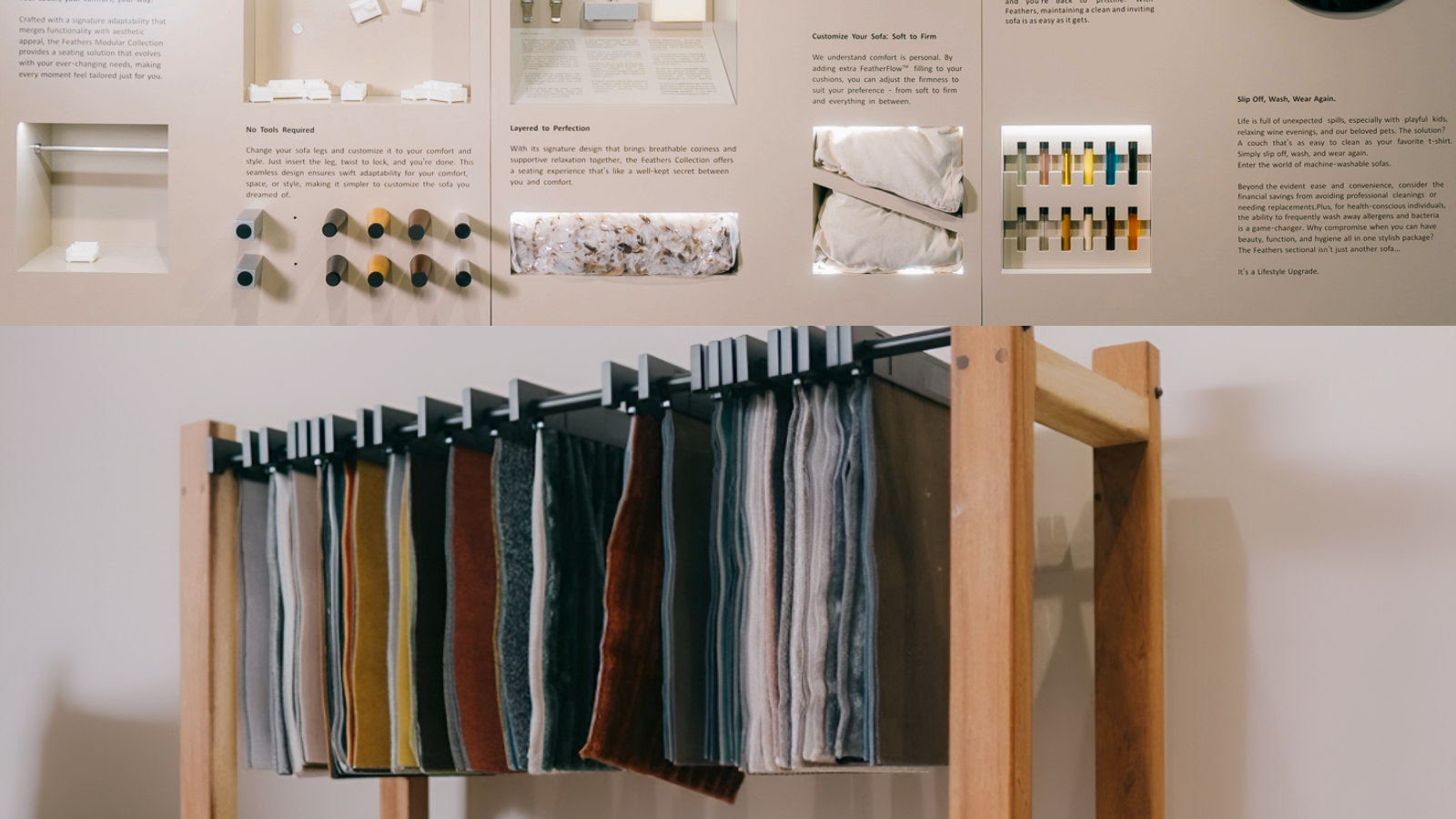
That’s where a 1-on-1 consultation becomes the best next step, whether you book an interior design consultation (project + layout + style) or a virtual product consultation (specific piece + configuration). Either way, you can get fabrics and finishes shown in real time— on video or in person— so you’re not guessing from a screen, and you can compare options side by side while you’re talking through the decision.
Before you book, here’s what it’s best for:
-
You have multiple layouts that work and want a tie-breaker based on flow, proportion, and room balance.
-
You want to compare configurations live (orientation, depth, corner logic, modular options).
-
You want to see fabrics and finishes in real time and get clarity on texture, durability, and how the material reads up close.
-
You want guidance pairing the room—accent chairs, coffee tables, side tables—so everything lands as one plan.
Confirming Fabric Color and Texture at Home
Even after you’ve seen fabrics in real time during a design consultation, the most decisive test is still your own environment. Your walls, floors, and daylight will change how a fabric reads— especially anything with visible weave, nap, or a finish that catches light.
That’s why free sofa fabric swatches are the perfect follow-through. They let you validate the final choice where it matters: next to your rug, under your lamps, and in the exact corner AR exposed as “make-or-break.”
To make swatches actually useful, do this:
-
Check them in daylight and nighttime light (undertones shift).
-
Hold them against your largest surfaces (flooring, wall paint, rug) to see what clashes.
-
Compare finalists side by side and pick the one that stays consistent across lighting.
Using AR to Ask Better Questions
The underrated benefit of AR is that it upgrades your questions from vague to specific. Instead of “Is this big?” you can ask: “If I run this configuration along this wall, will I still have clearance for the walkway?” Instead of “Which one is better?” you can ask: “Which layout keeps the rug zone balanced and doesn’t crush the coffee table distance?”
The best part of “View in Your Space” is that it turns furniture shopping into a shortlist instead of a gamble. Once you’ve confirmed a few layouts that genuinely work, everything else becomes more rational: configuration questions get specific, and material choices become meaningful because you’re choosing finishes for a layout that already behaves well in your room.
AR also gives you something surprisingly powerful: a record of your thinking. Those screenshots aren’t just “nice previews”— they’re a visual decision trail you can reference, compare, and bring into an in-person visit or live conversation if you want another set of eyes. It’s the difference between “I think I want something like this” and “Here are the three placements that actually work—now help me refine.”
If you’re doing a live product consultation or design session, AR screenshots give you a shared reference point, which is how you get real answers fast.
-
Bring 2–3 screenshots of placements you tested (entry view + seating view).
-
Note what you’re unsure about: depth, corner orientation, chaise direction, or pairing pieces.
- Ask for side-by-side guidance on the exact tradeoffs you’re seeing in your room.
Your Modular Sofa in Reality
For years, choosing a sofa meant filling in gaps with imagination— guessing how a layout would land and how a room would move, how comfort would translate once the boxes were gone. Now the process looks different. Room planning tools, AR previews, and modular design systems give people a way to see decisions unfold before they’re locked in. You can test scale, rethink arrangements, pause, adjust, and return with clarity;
The future of furniture decisions looks less like a leap of faith and more like a sequence. Modular sofas, built to adapt, finally have a planning process that matches.

Leave a comment
This site is protected by hCaptcha and the hCaptcha Privacy Policy and Terms of Service apply.